
The very first product I came across at CES that I actually wanted was PeriPage‘s Mini Printer A6. I love using my typical label maker, but this cute handheld Bluetooth device has a fun factor that makes my standard label maker pale in comparison.
PeriPage’s pocket sized device measures 3.1″x 1.7″ x 3.1″and feels durable at 6.6 oz. despite it’s cheap looking teddy bear shaped exterior that comes in toy like colors of pink, blue and white. On the right side of the device is a mini USB port for charging with the included 12 inch cable. Above the logo on the front is a power button that either lights solid or blinking green or red to show ready, charging, low battery or empty paper roll.

Text, pictures and graphics all occur within the PeriPage app which is available for download for Android, IOS and Windows. With a variety of clip art selections, templates for labels/lists, and several font types it is easy to create fun lists, prints and labels. There is also an option to import your own graphics and photos.
Pairing the printer with a device via Bluetooth is very simple: after downloading the app, launch it and turn the printer on, search for the printer on the device and connect. My Android SGS8 cell phone found the device and paired without any issues.
This inkless printer uses A6 sized thermal paper rolls to print photos, notes, labels, text recognition and even documents. Thermal paper comes in plain white, various colors, adhesive backed and even pre-cut labels with fun background colored prints. It is easy to open the unit by pushing the top section back and the bottom section forward to remove and insert rolls of thermal paper. The cost of thermal paper rolls is about $0.01 cent per inch and can be cheaper if you buy in bulk. Of course the adhesive backed rolls are more expensive, but still cheaper than label tape.
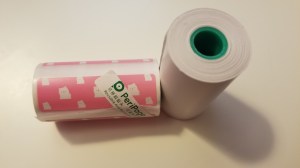
What I took me time to figure out is how to use the manual tear-off-style cutter. I kept ripping the paper causing jagged edges. I actually get a smoother cut if I tear away from the jagged cutter towards the back.
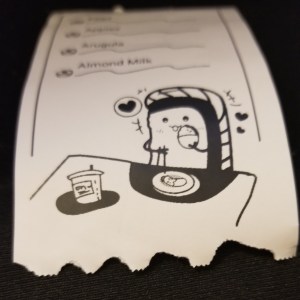
This prints only in black and at 203 dpi, photos come out grainy, so I couldn’t see myself using this to print pictures very often if at all. I think buying a true color photo printer would be worth buying instead of this if printing pictures is the intended primary use. There is a 304 dpi version, but there wasn’t so huge a difference in quality that I think it would be worth the extra cost since I plan to use it to print random lists and labels.

I had the most fun printing lists and while I know this is not practical, because I can simply write out a list on a post-it note, I think I’d be inclined to use this for some short lists simply because it would bring me so much more joy than writing out a list on paper.
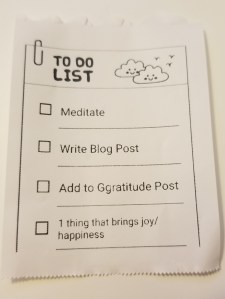
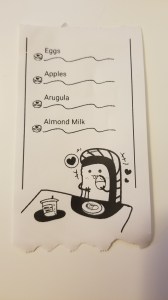
Labels were difficult to print because when I inserted the roll, I didn’t know where to line up the paper to get the print centered on the individual label. After some trial and error I finally got it lined up properly, wasting labels in the process. This deters me from buying pre-cut label rolls moving forward. I plan to buy thermal paper with adhesive backs instead since I can simply cut to print size manually.
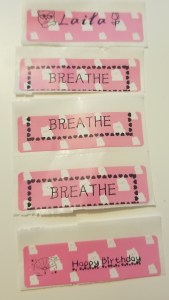
I tried printing a PDF document I had on my cell phone, but it printed so small that I couldn’t read most of the text. I don’t think I’d use this feature much, but maybe one day it will come in handy for something that I wouldn’t want to print on a regular 8 x 11 through my regular printer.

I also tried the text recognition feature which did a very good job with the words, but not so much with the spacing and hard returns, which was very simple and quick to fix manually before printing.
There are a couple other options that I didn’t try out yet:
- AR allows you to print an image from a video that is uploaded in the cloud (to a social media account) along with a QR code so that scanning the print will use the QR code to play the video where the image is printed. I’ve read this feature is somewhat buggy and does not always work.
- Printing a banner is another feature that is available that I did not try yet.
While this definitely was not a device I needed, I bought it simply for the fun I’m sure I’ll have using it randomly. I don’t see this replacing my label maker either since there are times I will want to print a long narrow label. This pocket printer is multi-purpose so isn’t really fair to compare directly to a standard label maker either, but I’ve already had fun playing with it today so that I could write this blog post. It is currently available on Amazon for $50 (retail cost is $60), which I think is a bit on the pricey end if you don’t print things a lot. I think a teacher would get their money’s worth if printing stickers and labels for classroom use! If you can find it cheaper or find a combo pack that sells both the printer and multiple rolls of paper, then it may be worth purchasing if you want to print labels/stickers/lists.

 GGibberish